


By FlashSoftFix | Mobile Phone Software & Motherboard Repair
Mobile phone software repair is not limited to flashing firmware through a USB cable. Depending on the condition of the device, a technician may need to move from normal USB servicing to direct access to the phone’s eMMC or UFS storage.
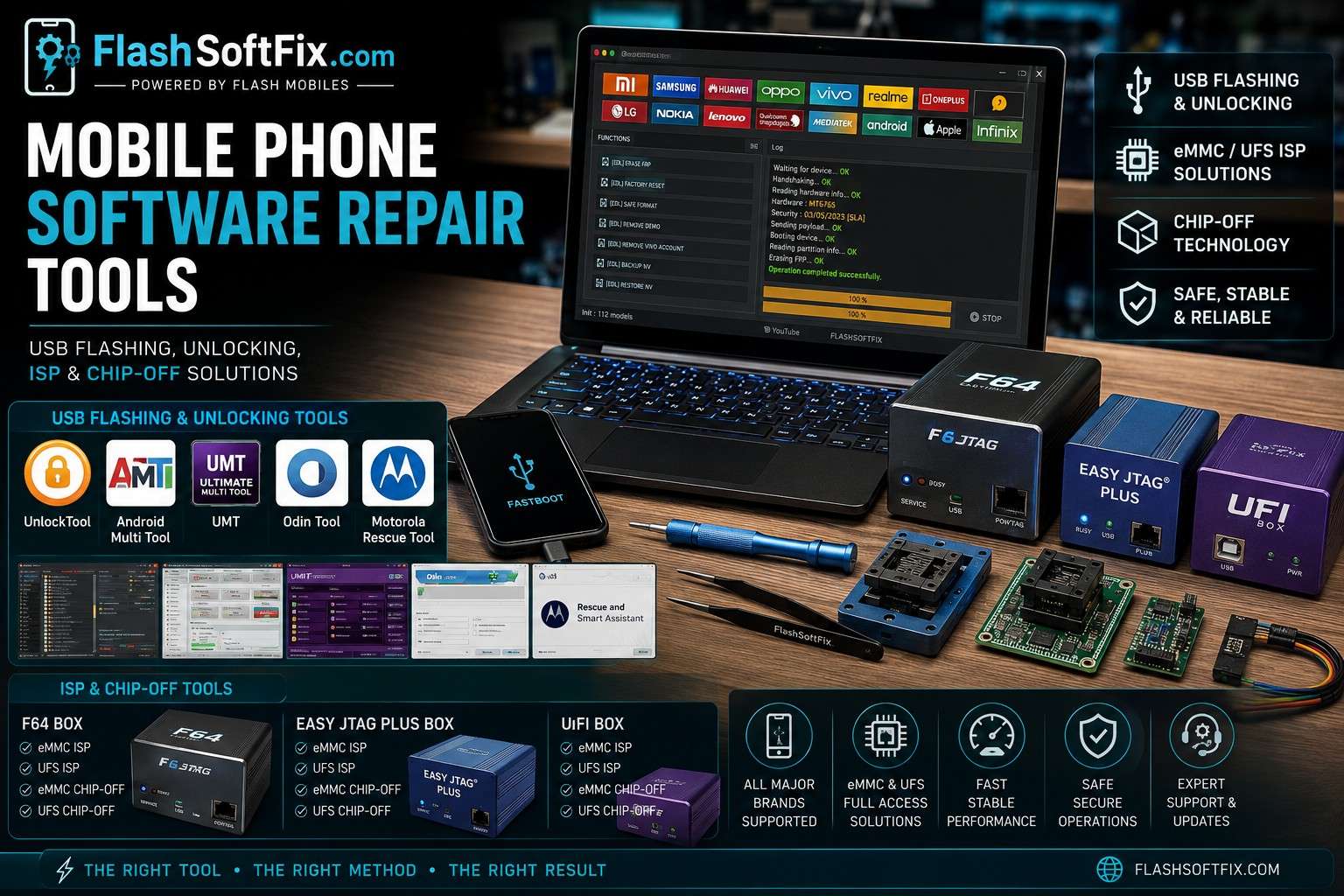
At my FlashSoftFix repair workstation, I use software and hardware tools in two main categories:
- USB-based flashing and unlocking
- ISP and chip-off storage servicing
This article explains how I classify these tools, when I use each method, and the role of the different equipment in my repair workflow.
My Two Categories of Mobile Software Repair Tools
Modern smartphones can present very different software problems.
A phone may simply need firmware flashing, or it may have a deeper storage-related problem where normal USB communication is no longer sufficient.
My basic approach is:
USB servicing first → ISP when required → Chip-off when necessary
This does not mean every phone needs advanced storage work. I choose the method based on the device’s condition, communication status, storage technology and the repair required.
Category 1: USB Flashing & Unlocking Tools
The first category is the normal software-servicing workflow.
Here, the phone communicates with a computer through its USB port.
The tools I use in this category include:
- UnlockTool
- Android Multi Tool
- UMT
- Odin
- Motorola Rescue Tool
The exact functions available depend on the phone model, chipset, firmware, security state and the version of the servicing software.
UnlockTool
UnlockTool is one of the USB-based servicing tools I use for supported Android devices.
Depending on the device and supported functions, I use it for operations such as:
- Firmware flashing
- Device identification
- Software servicing
- Supported unlocking operations
- Diagnostics
- Chipset-specific servicing
One important point is that the available functions can vary between models and software versions.
Therefore, I don’t assume that every function shown in a servicing tool will work on every phone.
Also Check: UnlockTool Latest Version Download
Android Multi Tool

Android Multi Tool is another tool in my USB software-repair setup.
I use it for supported Android devices for tasks such as:
- Device detection
- Firmware/software servicing
- Software troubleshooting
- Supported reset operations
- Other supported servicing functions
As with other servicing tools, the actual operation depends on the particular device.
UMT

UMT (Ultimate Multi Tool) is another important part of my software-repair workstation.
UMT provides different servicing capabilities depending on its supported modules and the device being serviced.
I use it for supported Android devices and chipset-specific operations.
For a technician, the important thing is not simply owning the tool but knowing which module and procedure is appropriate for the particular phone.
Odin Tool

For supported Samsung devices, I use Odin for firmware flashing and software servicing.
Odin is commonly associated with Samsung’s Download Mode firmware workflow.
Depending on the firmware package, Samsung firmware may contain components such as:
- BL
- AP
- CP
- CSC
The correct firmware must always be selected for the specific device and software configuration.
Incorrect firmware selection can create additional problems, so model and firmware identification should be performed before flashing.
Motorola Rescue Tool

For supported Motorola phones, I use the Motorola Rescue Tool for software recovery and firmware-related servicing.
It can be useful when a Motorola device has problems such as:
- Bootloop
- Stuck on logo
- Failed software update
- Software corruption
- Firmware-related startup problems
When a manufacturer’s own recovery solution is appropriate, I prefer using the supported official recovery process rather than unnecessarily performing deeper motherboard work.
When USB Flashing Is Enough
USB servicing is normally the simplest starting point when the phone:
- Is detected by the computer
- Can enter the required service mode
- Has a functioning USB communication path
- Has a software/firmware problem that can be addressed through supported USB procedures
A simplified workflow is:
Phone → USB Cable → Computer → Service Tool → Device Detection → Software Operation
If this works correctly, there is usually no reason to immediately move to ISP or chip-off.
Category 2: ISP & Chip-Off eMMC/UFS Tools
The second category is for more advanced storage-level servicing.
For this type of work, I use:
- F64 Box
- Easy JTAG Plus Box
- UFI Box
These tools are used for supported eMMC and UFS storage operations through appropriate ISP or chip-off connections.
This is fundamentally different from normal USB servicing because the technician is working much closer to the phone’s storage hardware.
F64 Box

F64 Box is part of my advanced storage-servicing setup.
For supported devices and storage types, it can be used for storage-level operations involving eMMC/UFS.
Depending on the supported hardware and software, this type of work can include:
- Storage identification
- Storage information reading
- Supported health/status analysis
- ISP operations
- Supported read/write operations
- Storage-level servicing
The exact capabilities depend on the programmer, storage type and device.
Easy JTAG Plus Box

Easy JTAG Plus Box is another major tool I use for storage-level repair.
It is useful for supported:
- eMMC servicing
- UFS servicing
- ISP work
- Chip-off work
- Storage identification
- Memory read/write operations
- Health/status analysis
This type of equipment becomes particularly useful when normal USB communication does not provide the level of access required for the repair.
UFI Box

I also use the UFI Box for supported eMMC and UFS servicing.
Depending on the storage device and supported workflow, it can be used for:
- eMMC ISP
- UFS ISP
- Chip-off work
- Storage identification
- Memory operations
- Health/status information
- Supported storage-level servicing
For motherboard technicians, having multiple storage programmers can be useful because different devices, storage packages and repair situations can require different adapters, pinouts or workflows.
What Is ISP?
ISP means In-System Programming.
The main advantage of ISP is that the storage IC can remain on the motherboard while the technician connects to the appropriate storage interface points.
For example, eMMC work commonly involves signals such as:
- CLK
- CMD
- DAT0
- VCC
- VCCQ
- GND
The actual connection depends on the motherboard design and programmer.
This is why accurate ISP pinout information is extremely important.
A wrong connection can potentially damage the motherboard, storage IC or programmer.
eMMC ISP
eMMC is still encountered in many mobile devices and other embedded systems.
When an eMMC device is accessible through ISP, the technician can establish communication with the storage without physically removing the chip.
A simplified workflow is:
Motherboard → eMMC ISP Points → Programmer → Storage Detection → Supported Operation
The exact procedure depends on the programmer and the particular motherboard.
UFS ISP
Modern smartphones increasingly use UFS storage.
UFS is different from eMMC, including its electrical interface and communication method.
Therefore:
An eMMC ISP pinout cannot simply be used for UFS.
The correct UFS pinout, adapter and programmer support are required.
This is particularly important when working with newer smartphone motherboards.
What Is Chip-Off?
Chip-off is a more advanced method.
Instead of communicating with the storage while it remains on the motherboard, the technician physically removes the eMMC or UFS IC.
The removed IC can then be connected to an appropriate adapter or programmer.
A simplified workflow is:
Motherboard → Storage IC Removal → Adapter/Socket → Programmer → Storage Operation
Chip-off requires proper BGA rework equipment and experience because the storage IC must be removed and, when required, correctly reinstalled.
It is therefore not normally my first choice when USB or ISP can accomplish the required repair.
ISP vs Chip-Off
| Feature | USB | ISP | Chip-Off |
|---|---|---|---|
| Connection | USB port | Motherboard storage points | Removed storage IC |
| Board disassembly | Usually minimal | Required | Required |
| Storage IC removed | ❌ | ❌ | ✅ |
| Difficulty | Normal | Advanced | Advanced |
| eMMC work | Device/tool dependent | ✅ Supported devices | ✅ Supported devices |
| UFS work | Device/tool dependent | ✅ Supported devices | ✅ Supported devices |
| BGA removal | ❌ | ❌ | ✅ |
| Typical use | Normal software repair | Deeper storage access | Advanced storage servicing |
My Practical Software Repair Workflow
I don’t treat USB, ISP and chip-off as three unrelated techniques.
I see them as different levels of access.
Level 1 — USB
I start with:
UnlockTool / Android Multi Tool / UMT / Odin / Motorola Rescue Tool
when the phone can communicate normally.
Level 2 — ISP
If deeper storage access is required:
F64 Box / Easy JTAG Plus / UFI Box → ISP
The storage IC remains on the motherboard.
Level 3 — Chip-Off
If chip removal is required:
eMMC/UFS → BGA removal → Programmer → Storage servicing
This is the most hardware-intensive approach.
Why Storage Health Matters
A phone can sometimes show symptoms that appear to be purely software-related when the underlying problem involves storage.
Examples can include:
- Boot failure
- Repeated restart
- Stuck at logo
- Firmware flashing failures
- Storage detection problems
- Abnormal storage health/status
However, these symptoms do not automatically prove that the eMMC or UFS is faulty.
Proper diagnosis is important before replacing or reworking storage.
This is where storage programmers and motherboard-level diagnostic techniques become useful.
My Software Repair Tools at FlashSoftFix
| Category | Tool | Main Use |
|---|---|---|
| USB | UnlockTool | Android software servicing |
| USB | Android Multi Tool | Android servicing |
| USB | UMT | Multi-brand/chipset servicing |
| USB | Odin | Samsung firmware servicing |
| USB | Motorola Rescue Tool | Motorola software recovery |
| ISP / Chip-Off | F64 Box | eMMC/UFS storage servicing |
| ISP / Chip-Off | Easy JTAG Plus Box | eMMC/UFS servicing |
| ISP / Chip-Off | UFI Box | eMMC/UFS servicing |
Final Thoughts
My approach to mobile software repair is simple:
Start with the least invasive method and move deeper only when the repair requires it.
For normal software problems, USB tools such as UnlockTool, Android Multi Tool, UMT, Odin and Motorola Rescue Tool can provide the required servicing workflow.
When normal USB communication is not enough, tools such as F64 Box, Easy JTAG Plus and UFI Box allow supported eMMC/UFS storage-level work through ISP or chip-off methods.
The important part is not simply having many tools. Diagnosis determines which tool and method should be used.
At FlashSoftFix, I combine software knowledge with motherboard-level experience to determine whether a phone needs USB servicing, ISP access or chip-off storage work.

