

Download – UnlockTool V2026.03.17.0 Setup [Latest Version]
UnlockTool Software: A Simple and Honest Guide (2026)
Nowadays, smartphones are a big part of our daily lives. We use them for everything—calls, payments, social media, work, and more. So when something goes wrong, like getting locked out of your phone or facing a software issue, it can be really frustrating.
That’s where tools like UnlockTool come in.
So, What Exactly is UnlockTool?
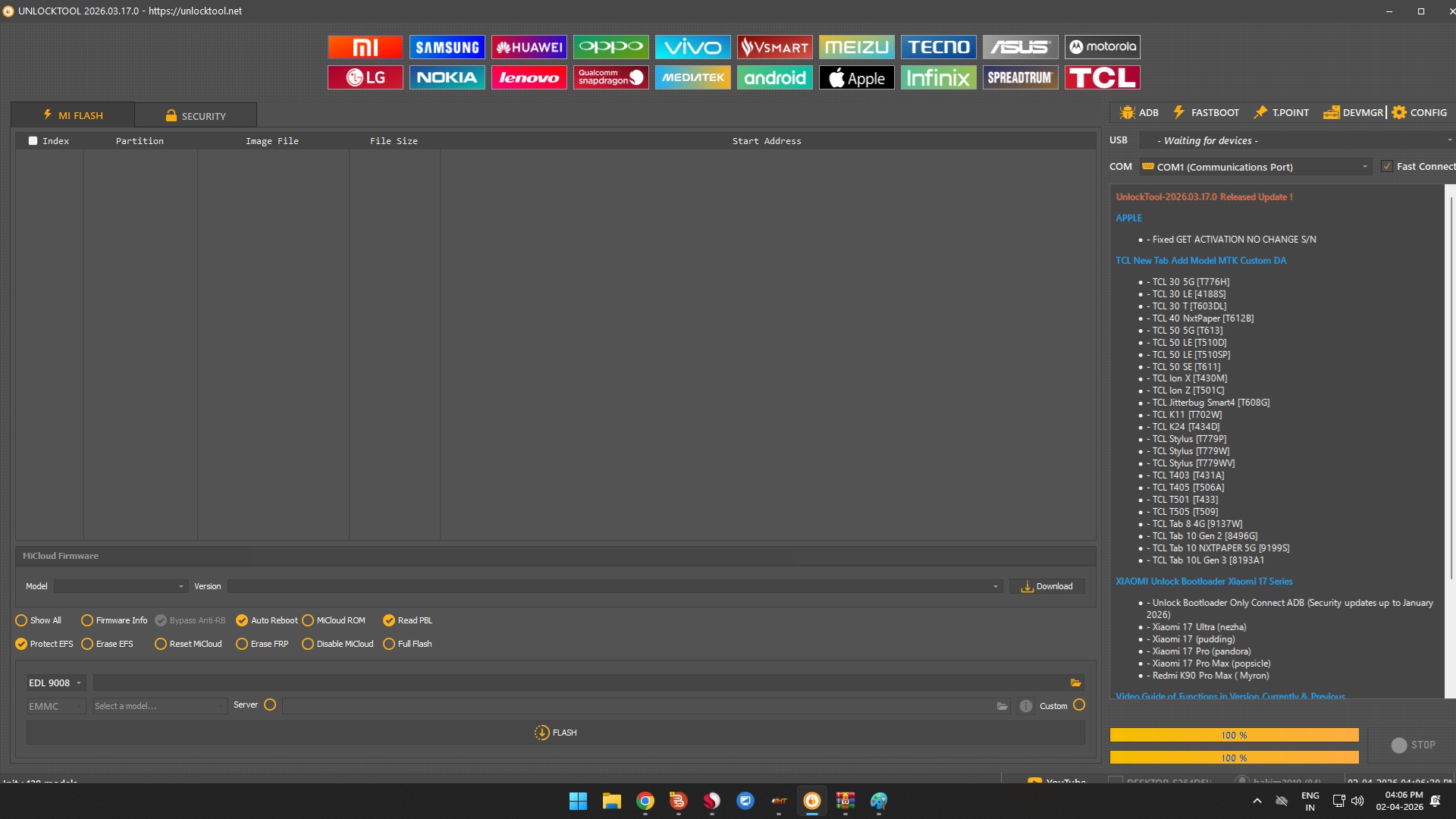
In simple terms, UnlockTool is a software used to fix, unlock, and manage Android phones. It’s mostly used by mobile repair technicians, but if you have some technical knowledge, you can use it too.
It supports many popular brands like Samsung, Xiaomi, Vivo, Oppo, Huawei, Motorola, and Nokia. What makes it different from official tools is that it gives you access to features that are usually restricted.
What Can UnlockTool Do?
Let’s break it down in an easy way:
1. Remove FRP Lock
If you’ve ever reset your phone and then couldn’t log in because you forgot your Google account, you’ve faced FRP (Factory Reset Protection).
UnlockTool can help remove that lock so you can use your phone again.
2. Unlock the Bootloader
The bootloader controls how your phone starts. Most phones keep it locked.
With UnlockTool, you can unlock it and:
- Install custom ROMs
- Root your device
- Customize your phone deeply
3. Fix Software Problems (Flashing)
If your phone:
- Gets stuck on the logo
- Keeps restarting
- Has bugs or crashes
- Or is completely dead
UnlockTool can reinstall the system and bring it back to life.
4. Remove Screen Locks
Forgot your PIN, password, or pattern?
UnlockTool can remove it on many devices. Sometimes, it can even do this without deleting your data (though not always).
5. Repair IMEI (Careful Here ⚠️)
If your phone loses its IMEI due to software problems, UnlockTool may help fix it.
But this is important: changing IMEI is illegal in many places, so use this feature only if it’s allowed in your country.
6. Works with Many Devices
One of the best things about UnlockTool is that it supports different chipsets like:
- Qualcomm
- MediaTek (MTK)
- Unisoc
- Kirin
So you’re not limited to just one type of phone.
How Does It Work?
It’s actually pretty straightforward:
- Connect your phone to a computer with a USB cable
- Open UnlockTool
- Choose your device model
- Select what you want to do
- Start the process
The tool does most of the work for you.
Why Do People Like UnlockTool?
- It saves time (everything is in one place)
- It’s not too hard to use
- It gets regular updates
- It supports many devices
For repair shops, it’s especially useful because it speeds up their work.
But It’s Not Perfect…
There are a few downsides:
- It’s not free—you need a paid license
- Some features may not be legal everywhere
- If you don’t know what you’re doing, you can damage your phone
So it’s powerful—but you need to be careful.
When Do People Usually Use It?
- Repair technicians fixing customer phones
- Advanced users who like customizing devices
- Recovering phones that are not working properly
Use It Responsibly
This part really matters.
UnlockTool should not be used for:
- Accessing someone else’s phone without permission
- Unlocking stolen devices
- Doing anything illegal
Always use it the right way.
Other Tools Like UnlockTool
There are alternatives too, like:
- SP Flash Tool
- Odin (for Samsung)
- Miracle Box
- Chimera Tool
- UMT
Some are better for specific brands, but UnlockTool is popular because it does many things in one place.
What You Need to Run It
- A Windows PC
- Internet connection
- USB drivers installed
- Basic technical knowledge
Tips to Stay Safe
Before using UnlockTool:
- Always back up your data
- Make sure your phone has enough battery
- Use a good USB cable
- Follow proper guides
- Double-check what you’re doing
Latest Version (2026)
- Version: 2026.03.17.0
- Released: March 2026
- CLICK HERE TO DOWNLOAD
What’s new:
- Support for newer Xiaomi models
- Better MTK device support
- Improved repair functions
Final Thoughts
UnlockTool is a very useful software if you know how to use it properly. It can fix serious problems, unlock devices, and give you more control over your phone.
But at the same time, it’s not something to use carelessly. A small mistake can cause big problems.
If used correctly, though, it can save time, money, and even bring “dead” phones back to life.